Turn any image into a design token set
Distill is the Chrome extension that reads its colors, type mood, and spacing rhythm, and hands you production-ready tokens in seconds: JSON, Tailwind, Style Dictionary and PDF.
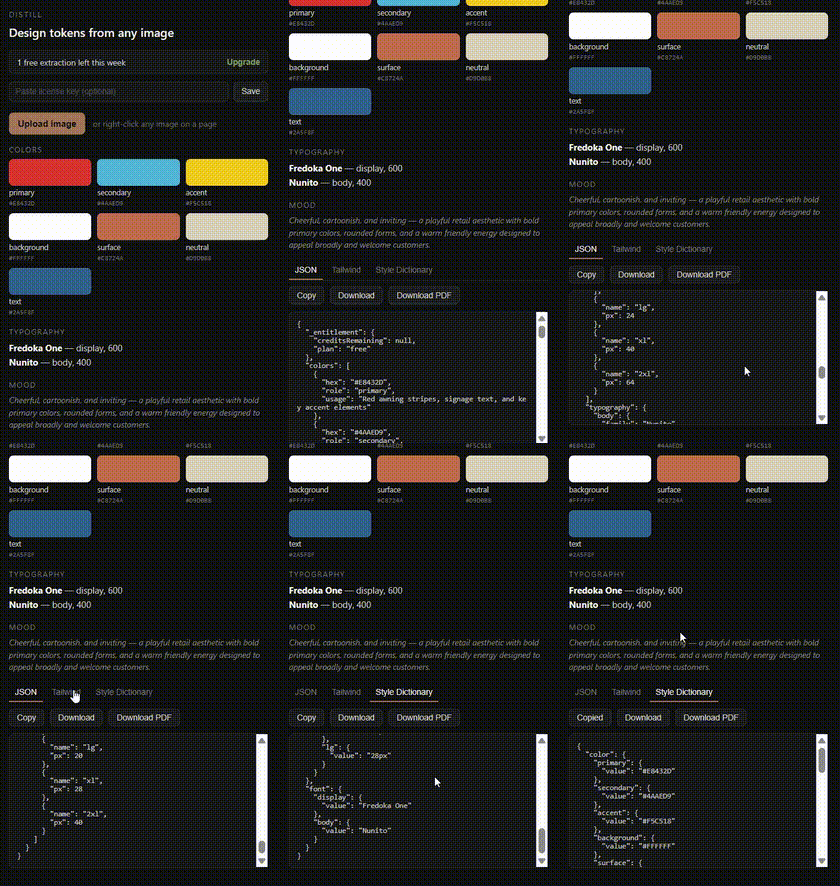
Three steps, no design system busywork
Pick an image
Right-click any image on any page, or upload one from the extension popup — a logo, a photo, a mood board.
Distill reads it
Claude analyzes the image's colors, typographic mood, and spatial rhythm, and derives a full token set.
Export and use
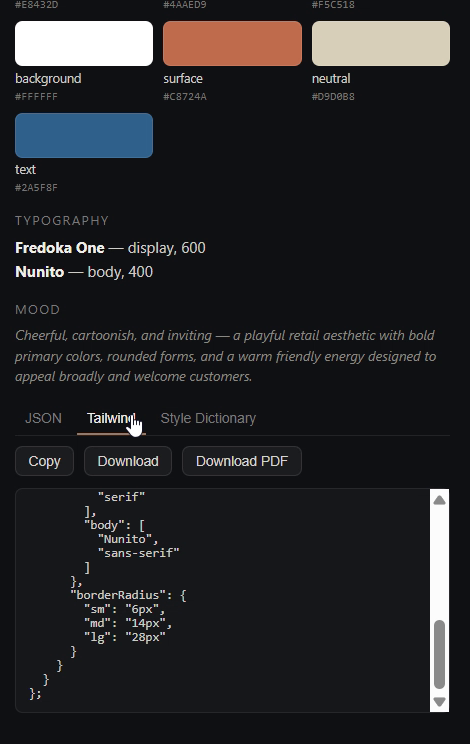
Copy or download as JSON, a Tailwind config, Style Dictionary — or a designed PDF token sheet to share.
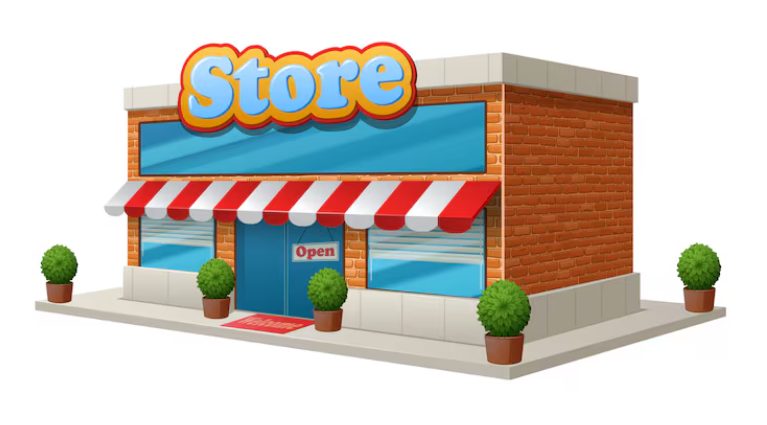
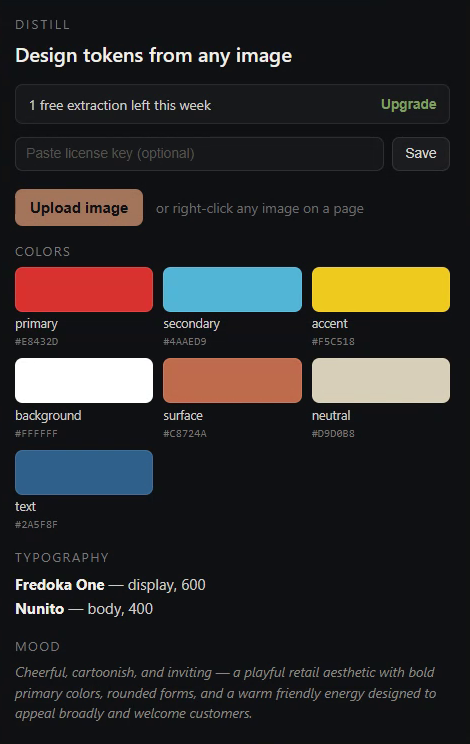
From a real storefront photo to real tokens
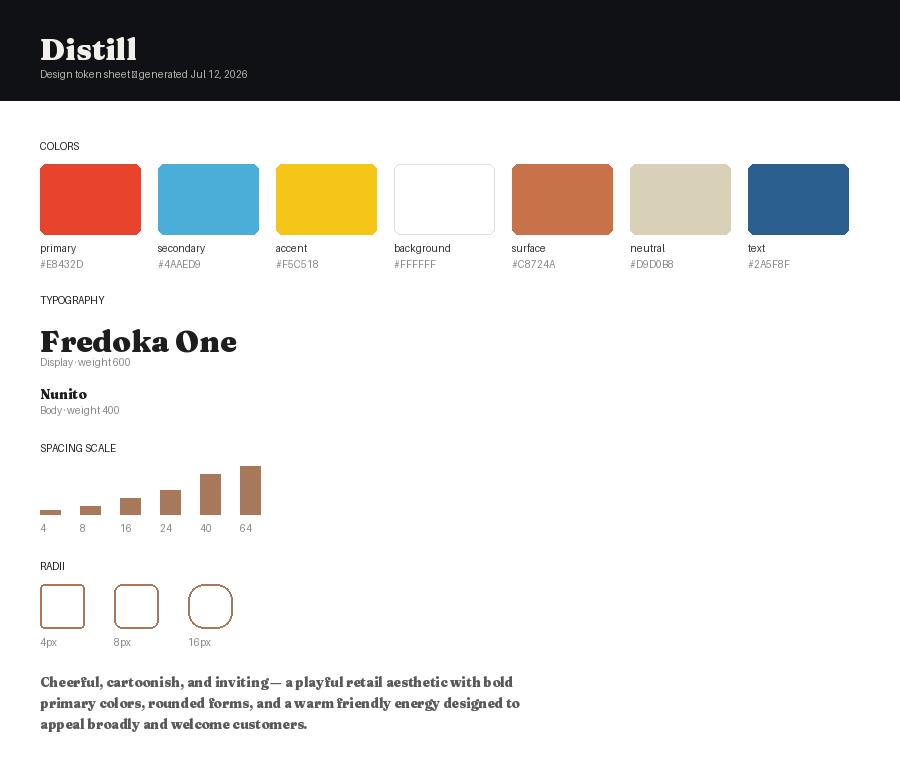
Built for anyone starting from a picture, not a spec
Freelance & agency designers
Kick off a new client project from a mood board or brand photo instead of eyeballing hex codes by hand.
Frontend developers
Get a working Tailwind config or Style Dictionary from a screenshot when there's no designer or design file yet.
Indie hackers & founders
Turn a reference image or competitor site into a coherent starting palette and type system for your MVP.
Marketing & brand teams
Pull a quick token set from a photo, ad, or competitor page to brief designers or mock up a pitch deck fast.
Start free, pay only as you use it
Terms & conditions
What Distill does
Distill analyzes an image you select and returns a generated design token set (colors, typography suggestions, spacing, radii). These are AI-generated interpretations — one reasonable reading of an image, not the single correct answer — so always sanity-check them before shipping.
Your content
Images you submit are sent to Anthropic's API for analysis and are not stored by Distill beyond what's needed to return a result. Only use images you have the right to analyze and use.
Accounts & license keys
Paid plans are tied to a license key linked to the email used at checkout. Keep it private — anyone with your key can use your credits or subscription.
Free tier
The free tier allows a limited number of extractions per week per install, intended for evaluation. It is not guaranteed to remain at any particular limit and may change.
Payments & refunds
Payments are processed by Polar, acting as merchant of record. Credit packs are non-expiring but non-refundable once credits are used. Subscriptions can be canceled anytime and remain active until the end of the current billing period. Contact support for exceptional circumstances.
No warranty
Distill is provided as-is, without warranty of any kind. Generated tokens are a starting point, not a guarantee of accuracy, accessibility, or fitness for any particular design system.
Changes
These terms may be updated as the product evolves. Continued use after a change constitutes acceptance of the updated terms.
Contact
Questions or issues: support@distill.design
Distill for Figma is coming
A dedicated Figma plugin that turns tokens into real Figma Variables and Styles — organized into a complete design system: color ramps, a type scale, spacing, radii, and elevation, plus a documentation canvas generated right on the canvas.
Select an existing frame for a free, straightforward read of what's already there — or drop in a photo or mood board for the same AI-powered extraction the Chrome extension uses, organized into a full system.
Also from this developer

Rename any browser tab and give it a custom favicon color — directly from the toolbar. Lightweight, no tracking, no ads.
View in Chrome Web Store →